

Speaker: José Lobo (COLOMBIA)

Biodata:
José I. Lobo F. is a professor and researcher in Applied Linguistics and TESOL. He holds a B.A. in Foreign Languages from Universidad del Atlántico, an M.A. from the University of Maryland, Baltimore County, and a Ph.D. in Education from the University of Cincinnati.
He currently teaches at Universidad del Atlántico in Barranquilla, Colombia, and collaborates with graduate programs such as the doctoral program in Applied Linguistics at the University of Panama.
He is also affiliated with Quality Leadership University, where he contributes to TESOL training.
Dr. Lobo leads the Bilingual Brain research lab and works closely with the Research Intelligence initiative.
His research focuses on EFL learning in vulnerable and moderate-income contexts, inclusion, pronunciation, code-switching, and student-centered research.
He has published academic work in international venues, including journals in the United States and the United Kingdom.
Among his recent publications are contributions to the Hispanic Journal (2024, 2025) and the co-authored book Transforming Struggles into Success (2025) with Alida Vizcaíno.
His work highlights how structured research experiences empower students to overcome challenges and achieve academic and professional success.
He is currently working on two upcoming books and several international publications that further explore innovation, resilience, and global collaboration in EFL contexts.
Topic: Humanizing AI in Education: Voices of Resilience in Vulnerable EFL Communities
Abstract:
Research indicates that meaningful human connection continues to play a central role in successful language learning even in the rapidly evolving era of artificial intelligence and educational technology. The studies presented in Transforming Struggles into Success volumes one, two, and three explore how students and teachers in vulnerable, financially limited, and socially challenging EFL contexts use technology as a supportive tool while maintaining the importance of empathy, collaboration, emotional support, and authentic interaction.
Across diverse educational settings, the contributors examine themes such as confidence building, neurodiversity, storytelling, immersion, code-switching, pronunciation, task-based learning, and student-centered pedagogies enhanced through multimedia and AI-assisted resources. The findings suggest that technology is most effective when it strengthens rather than replaces human relationships in the classroom. Artificial intelligence and digital tools contribute to accessibility, motivation, inclusion, and learner autonomy, while teachers and peers remain essential sources of encouragement, resilience, and social connection. Collectively, these volumes propose that the future of education depends on balancing technological innovation with human sensitivity in order to help learners transform adversity into opportunity and achieve academic and personal growth.
Speaker: Elsa Carrera

Biodata:
Elsa Carrera is an academic consultant for PEARSON based in Lima, Peru, where she is responsible of giving academic training to English teachers of different institutions. Making a brief review of her academic and professional career, Elsa holds a Bachelor´s degree in Education with specialty in English (UDEP). She holds a master’s degree in education management (UDEP). She also holds Cambridge (FCE) and Michigan (ECPE) Certifications, and she has taken a course in commercial strategies B2B at Centrum – Universidad Católica. She is a Certified Virtual Master Trainer, and she has taken a leadership course at INCAE. In addition to that she has taken neuroscience courses at CEREBRUM.
In the last 25 years, she worked as an English teacher in different schools having the experience of implementing DP (IB) and advising in PYP (IB). Elsa had the opportunity to implement a whole English Program for a Peruvian Airline. She also worked as an English teacher for Language Centers. Besides that, she worked as a coordinator and as a chief in CIDUP and EUROIDIOMAS, she created and implemented customized programs for many companies including Peru and Ecuador.
Topic: “Educational Neuroscience – Understanding the Brain: The Birth of a Learning Science”
Abstract:
Educational neuroscience is the discipline that combines neuroscience, pedagogy, and psychology bringing the current research from how the brain learns, behaves, and relates to instructional practices in the classroom. Every class, assignment, and experience shape the
human brain.
Understanding how the brain processes information into learning and knowing more about what it takes for students’ brains to be engaged, responsive, and alert are fundamental to the teaching and learning process.
Speaker: Leo Marin (PERU)
Biodata:
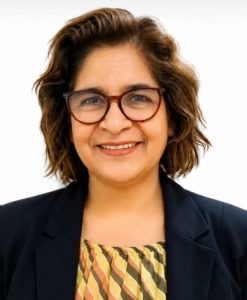
Leonor Marin is a teacher of English and Spanish as a Foreign Language, teacher trainer,materials writer, researcher, freelance and educational consultant. She studied Education at IPNM and holds a Postgraduate Degree in Course and Syllabus Design from Saint Mary’s University, Study Skills at Lancaster University and Business Cultural Training at International House London.
She co-authored English Express as part of the National Educational Project English for Secondary Schools, developed through the agreement between the British Government and the Ministry of Education in Peru.
Starting her ELT journey in public schools with the English Express Programme, she later taught and trained at institutions such as ESAN, Catholic University Language Institute, Británico, Universidad del Pacífico Language Centre, Goshen College, Euroidiomas, ABB, and Amadeus.
A Past President of the Association for Teachers of English in Peru, Leo has participated as a speaker at national and international conferences. She is currently the Research Project Coordinator of a Teacher Wellbeing Programme in Peru, while continuing her work as a freelance and consultant.
Outside work, you will probably find her enjoying coffee, reading, watching films, embracing life to the fullest spending meaningful time with her family.
Topic: Why Keep Human Connection Alive in the Era of AI? Rediscovering Empathy, Presence and Wellbeing in Education
Abstract:
Language is far more than vocabulary and grammar; it is also about human connection, interpreting tone, reading between the lines, and understanding cultural nuance. While Artificial Intelligence is rapidly transforming education and offering valuable support for language learning, it is also true that AI-generated responses can sometimes feel impersonal, limited in context, or lacking emotional depth. As a result, learners may miss opportunities to develop critical thinking, empathy, and authentic communication skills.
In contrast, teachers provide adaptive guidance, emotional support, and meaningful interaction that help learners build not only language accuracy, but also essential interpersonal skills such as collaboration, empathy, and social connection.
This presentation explores the importance of balancing the use of artificial intelligence tools with a humanistic approach to education. Through reflection and practical interaction, participants will rediscover the value of presence, wellbeing, and meaningful connection with a special focus on supporting the wellbeing of the two most important agents of change in Education: teachers and students.
Speaker: Juan Gustavo Iwasaki (PERU)

Topic: Separating the Wheat from the Chaff. Which AI tools really improve learning?
Biodata:
Juan Gonzalo has been working in the field for 15 years now, having worked as a teacher, coordinator, teacher trainer, speaking examiner and in the publishing industry.
He has been a speaker at several events including TESOL Peru and BETA.
His main passions are teaching and technology and loves to find ways to augment learning through technology, now with AI.
Abstract:
The technological landscape in education has been completely upended since the advent of AI. New tools pop up on a daily basis created by edtechs, startups, publishing companies, and all sorts of actors.
The question that teachers and coordinators struggle with on a daily basis is, how do we know which ones will really benefit my students?
In this presentation we will develop a method to assess new tools and explore what characteristics are a must, and what should be a red flag
Speaker: Giuliana Robles

Biodata:
She is a graduate of Universidad Cayetano Heredia and continued her professional education through an MA in Educational Psychology from the same University. She’s a Certified YLE and Main Suite speaking examiner from Cambridge Qualification and holds a C1 Advanced and CELTA certificate from Cambridge.
In 2012 she joined Universidad del Pacifico Language center as English Assessor. She worked for almost 10 years in Cambridge University Press and Assessment and now, she´s working as Key Account & Academic Support Manager in Helbling English Perú, where she oversees teacher professional development programs and the growth of their English programs.
Topic: “Teaching with Heart in the Age of AI: Bringing Emotion Back to the Classroom”
Abstract:
In the age of artificial intelligence, nurturing genuine human connections in the classroom is more essential than ever. This workshop highlights the importance of the emotional factor in learning and how it can coexist with the use of AI tools. Teachers will receive practical, ready-to-use activities designed to foster empathy, engagement, and meaningful interaction, helping them create a more
human-centered and emotionally supportive learning environment.
Speaker: Indira León

Biodata:
An experienced English instructor with 20+ years teaching all CEFR levels, Indira León has seen the steps English students take from the very beginning in their learning process until they get international certifications.
She has been a proctor and conducted interviews with candidates for international exams such as ECCE, ECPE, DELE and others. Her journey has also taken her to different cities around Peru to participate as a guest speaker for NatGeo Learning.
During her career at a binational center, she has participated in pilot programs to implement teaching techniques, delivered methodology and teaching practice courses as well as elaborated training material for new teachers. She is also a teacher trainer at the Specialization Program in English Language Teaching at Universidad Ricardo Palma.
Topic: “ Beyond AI: Fostering human connection in every class” “
Abstract:
As Artificial Intelligence reshapes the educational landscape, the ELT profession faces a fundamental question: What remains when the “instruction” can be automated? While A.I. excels at delivering content and analyzing data, it lacks the biological and social intuition required to build a truly transformative learning environment. This talk explores the vital role of the human touch, not as a nostalgic preference, but as a sophisticated pedagogical necessity.
